
Grammarly has proven itself as a useful writing tool for students, bloggers, professionals and anyone else looking to improve their writing. It is meant to help writers spot writing mistakes, make their writing clearer and give suggestions while still leaving writers to decide what changes they want to make. In this article, I will talk about how Grammarly can improve your writing and different ways you can use it.
There are various writing issues that many students face. These include:
1. Grammar and punctuation errors
Such as mistakes with commas and run-on sentences. A run-on sentence occurs when two or more independent clauses are joined together without the correct punctuation or connecting words. Contrary to popular belief, a run-on sentence isn’t just a long sentence; it is a sentence with an incorrect grammatical structure, no matter how short it is. There are two common types.
Fused Sentences (No Punctuation)
This happens when two complete thoughts are smashed together with absolutely no punctuation between them.
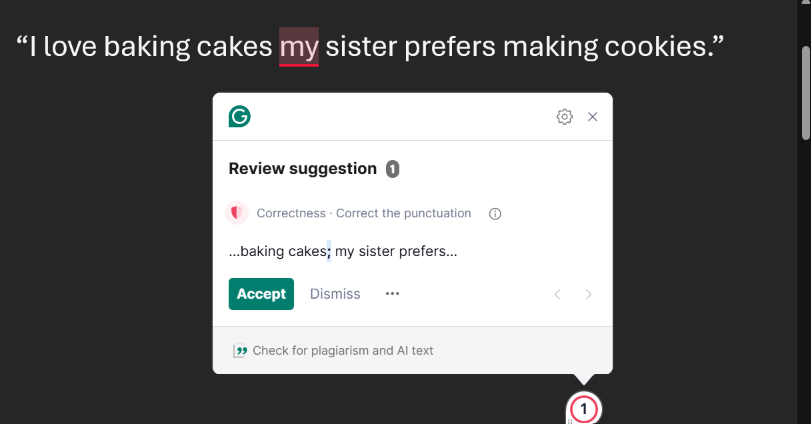
Incorrect: “I love baking cakes my sister prefers making cookies.”
Correct: “I love baking cakes; my sister prefers making cookies.”
Incorrect: “Drive fast we are late.”
Correct: “Drive fast; we are late.”
Comma Splices (Incorrect Punctuation)
This occurs when two complete thoughts are connected by only a comma. A comma by itself is not strong enough to hold two independent clauses together.
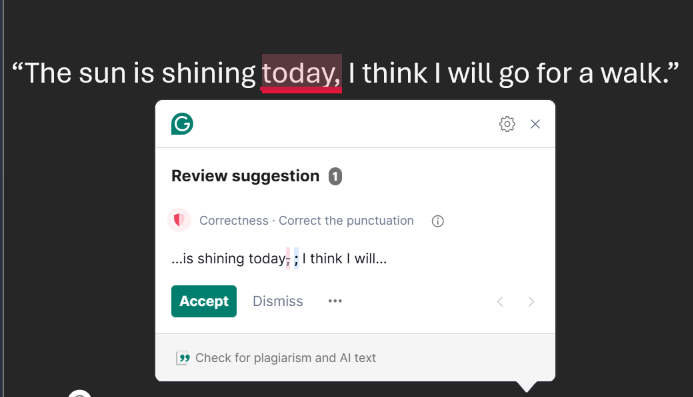
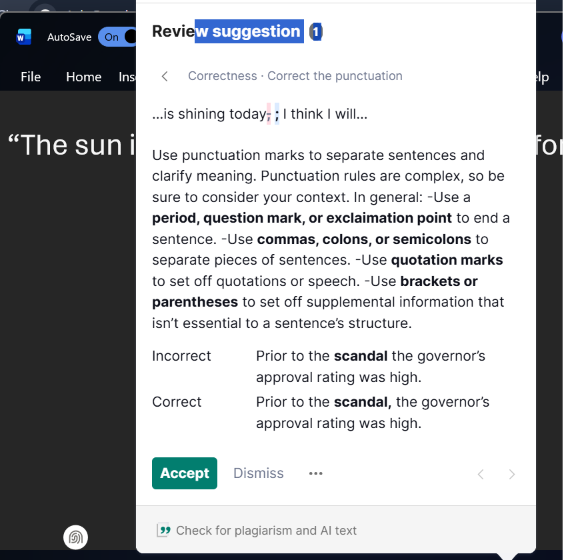
Incorrect: “The sun is shining today, I think I will go for a walk.”
Correct: “The sun is shining today; I think I will go for a walk.”
2. Overuse of conjunctions separately
This is acceptable in some literary contexts. But too many linking words, such as “and” or “but”, with no pauses, give a run-on effect that tires the reader.
Incorrect: “We went to the park, and then we played football, and after that we bought ice cream, and then we walked home.”
Correct: “We went to the park and played football. After that, we bought ice cream and walked home.”
3. The use of incorrect verb tenses that may confuse the reader.
Mixing Tenses in a Sentence
Incorrect: “I went to the store and buy some milk’.
Correct: “I went to the store and bought some milk.’
Switching Tenses Suddenly
Incorrect: “We were on the way to school. Suddenly, the sky turns dark.
Correct: “We were on the way to school. Suddenly, the sky turned dark.’
Mismatched Time Markers
Incorrect: “Tomorrow I went to the market.”
Correct: “Tomorrow I will go to the market.”
4. Plagiarism.
Plagiarism is the most prevalent form of dishonesty and involves taking someone else’s words, ideas, or work and passing them off as one’s own. Copying a complete passage from a book or any source without rendering a proper citation to the owner is considered plagiarism. While we all seek inspiration online, it is critical to understand the distinction between researching and copying. Which includes copying an entire article word for word or just forgetting to cite a source by accident; this can cause tremendous damage to your credibility. You can afford this by quoting, paraphrasing, and using proper citation; these help you to share your ideas while keeping your content completely authentic and original.
5. Proofreading.
Proofreading is the final stage in the writing process. At this stage you comb through your text and scrutinise every passage and sentence, as this enables you to review your writing and correct any grammatical errors, such as wrong spelling or punctuation, before hitting publish.
Many proofreading problems stem from factors other than being a “bad writer”.
Writers often overlook what’s on the page because they know what they meant to say.
Some of the most common things people fail to do are:
Take a break before proofreading. People often proofread immediately after writing, when the sentences are still fresh in their minds and the brain can fill in missing words or overlook mistakes. Even a short break can make the text feel less familiar.
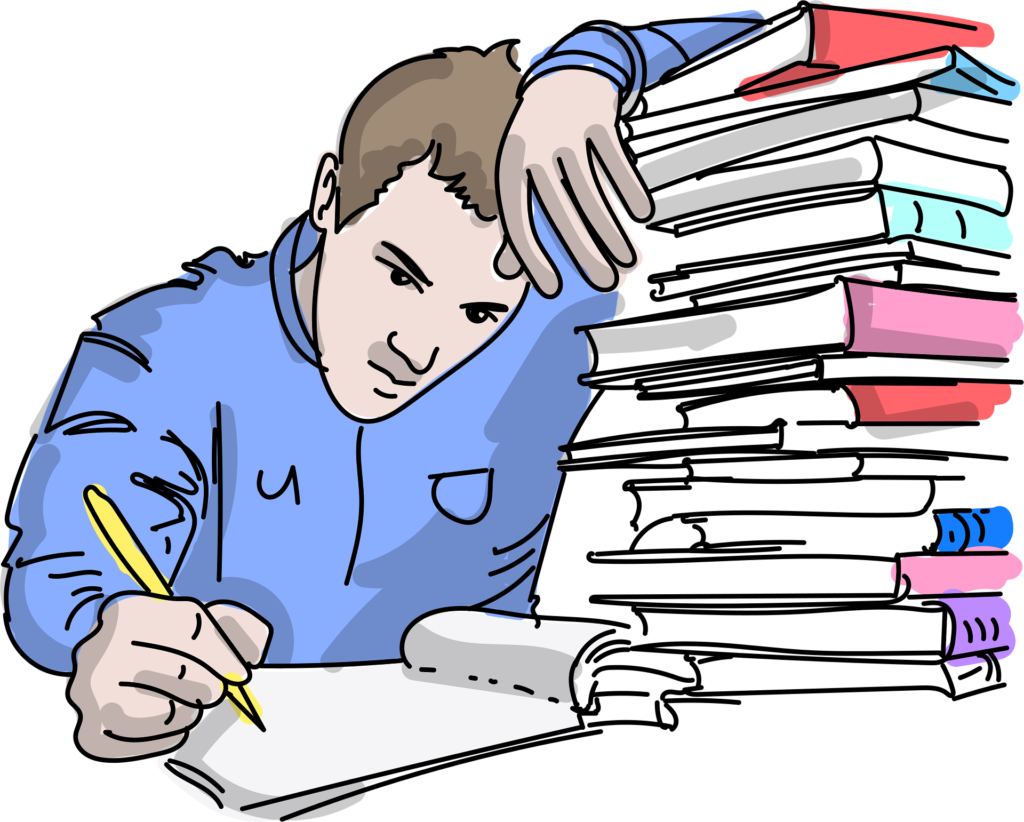
Read slowly. When people read at normal speed, they tend to read for meaning rather than for individual words. That makes small spelling, punctuation, and grammar mistakes easier to miss.
Read the writing aloud. Reading aloud can expose sentences that are too long, awkward, repetitive, or difficult to understand and suggests replacing complicated words or sentences with a clearer version. The tool corrects spellings and suggests replacing complicated words or sentences with clearer alternatives.
“It not only fixes misspellings, punctuation, and grammatical errors but also helps make your sentences clearer, more compelling, and easier for readers to understand.”
“Grammarly highlights confusing or ambiguous sentences and suggests ways to make them clearer.”
It flags repetitive language and provides alternative words. Nobody wants to bore readers with monotonous writing, and Grammarly helps you spot and fix those passages.
Grammarly does not automatically alter your writing when it identifies a problem; rather, it suggests a change that you should make. In that way, your writing remains original and authentic.
Check one type of problem at a time. Trying to check spelling, grammar, punctuation, sentence structure, clarity, and formatting simultaneously can be difficult. A writer can make separate passes, for example, first check meaning and clarity, then grammar, then spelling and punctuation.
Look for commonly confused words. Spell checking won’t necessarily catch a correctly spelt word that has been used incorrectly. Examples include their/there/they’re, your/you’re, affect/effect, and then/then.
Check punctuation carefully. Missing commas, unnecessary commas, apostrophe mistakes, and incorrect sentence-ending punctuation are easy to overlook.
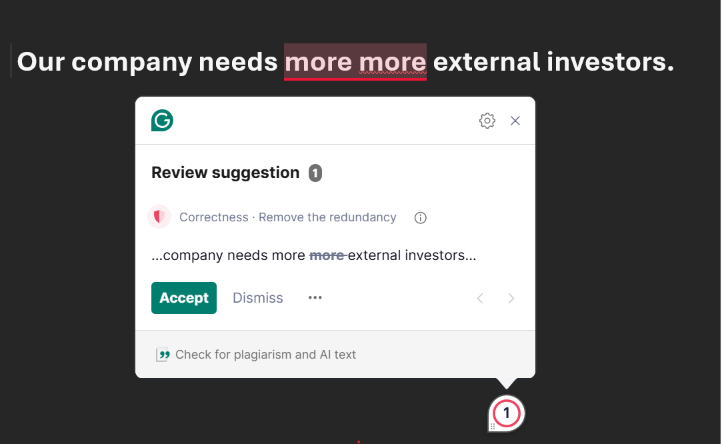
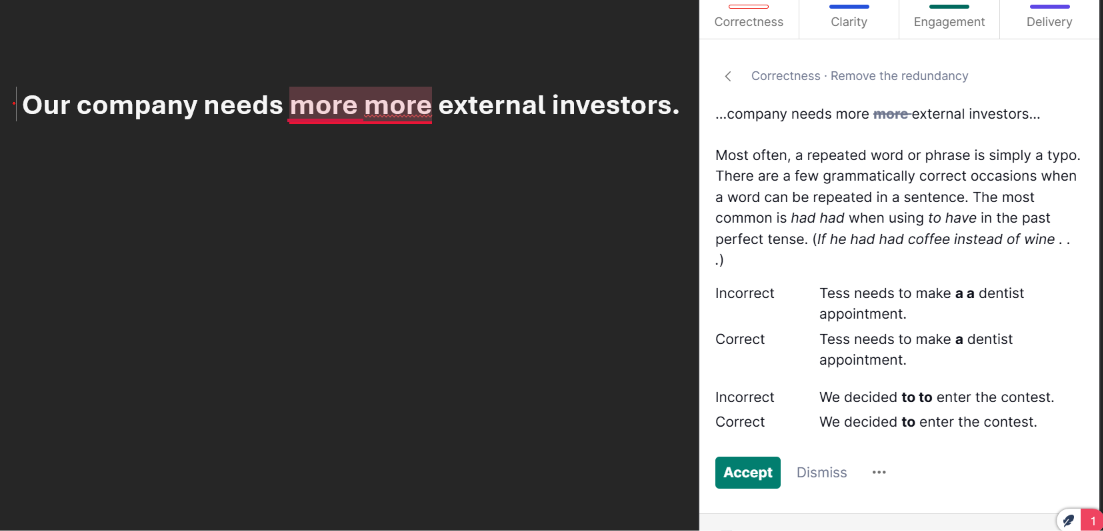
Remove unnecessary words. A sentence can be grammatically correct and still be difficult to read because it is too wordy. Proofreading should also involve asking, “Can I say this more clearly with fewer words?”
Check whether sentences make sense. Sometimes writers concentrate so much on grammar that they forget clarity. A grammatically perfect sentence isn’t very useful if the reader cannot understand the idea.
Check consistency. Writers may unexpectedly switch between past and present tense, change capitalisation, spell a name differently, or use inconsistent formatting.
I will be looking at what Grammarly does for you
What is Grammarly?

Grammarly is an AI writing assistant that helps you improve your writing by fixing errors, such as misspellings and incorrect punctuation. Grammarly corrects spelling
What Grammarly Does for You
Grammarly ensures that your text is not just accurate. It not only fixes misspellings, wrong punctuation, and grammatical errors, but it is also efficient at making your sentences clearer, more compelling, and comprehensible to readers.
1. Formality and Tone
In writing, it is important to use language appropriate for your context and target audience. Academic and professional writing, such as business letters, essays, and reports, requires a formal tone. Informal features should be avoided in these settings.
Writing generally falls into three levels of formality: formal, semi-formal, and informal.
Formal language is essential for academic papers, business proposals, marketing content, official reports, resumes, and essays. Once you decide on your topic, choose a tone suited to your reader so they can easily understand your message.
That is where Grammarly is helpful by offering a range of suggestions to help you write confidently, politely, and professionally.
2. Clarity and Readability
Clarity and readability work together to make your ideas easy for a reader to understand without getting confused or frustrated. Clear writing leaves no room for misunderstanding or guessing what you meant.
Writing lacks clarity when it suffers from:
Ambiguity: This occurs when phrases can be interpreted in two different ways, such as in the example, “I saw the man with the binoculars.” Who is holding the binoculars?
Wordiness: This occurs when 20 words are used instead of 5, which obscures the main point.
Overly complex jargon: Using fancy or technical words when simple ones would communicate the idea better.
Unclear: “Due to the fact that the meeting was postponed by management, and the decision regarding the budget has not arrived yet.”
Clear: “Management postponed the meeting, so we haven’t decided on the budget yet.”
3. Readability (Is the Text Easy and Fun to Scan?)
Readability is how easy it is for the human eye and mind to physically process the text. It’s about sentence structure, flow, and page layout. Writing has high readability when sentences are kept short to medium in length.
No giant run-on sentences that require rereading.
Simple, natural phrasing: Choose direct action verbs over passive structures.
Good formatting: Use short paragraphs, bullet points, headers, and bold text to break up giant walls of text.
Low readability: A single giant 8-line paragraph filled with complex clauses, passive voice, and no formatting.
High readability: Short, punchy sentences, organised into brief paragraphs or bullet lists, allow the reader to skim and digest information quickly.
Clarity is another essential aspect of writing; just because you use excellent grammar does not mean you have conveyed a clear message to your readers. The most important goal in writing is ensuring your reader can comprehend your message and respond, which is precisely what clarity and readability achieve.
When a reader must reread a passage just to get your point, they end up frustrated and close the book. Those are classic signs of a clarity problem.
The excellent news is that Grammarly helps ensure your readers do not experience those confusing moments. In Grammarly, a blue underline indicates that a sentence may lack clarity. It will suggest removing unnecessary words and replacing wordy phrases with more precise ones. These suggestions can reduce ineffective communication and allow your readers to grasp your meaning more easily.
Where Can Someone Use It?
Grammarly is designed to work everywhere you work.
It works in different browsers, devices, and applications.
It is available on major browsers, such as Google Chrome, Mozilla Firefox, Microsoft Edge, and Safari, and in desktop apps for Windows and Mac. It is also available for download on Android, iOS, and iPad.
Grammarly has made it a priority to provide high-quality detection to students and institutions, and it has been validated on a large scale. It is built on a simple belief that everyone can communicate effectively with the right tools, and that is where it serves its purpose: helping people write better and more clearly.
Note: Grammarly also provides an option to accept its suggestions or decline them. The green Grammarly button will turn red, or the Grammarly widget will display the number of suggestions. Coloured underlines in your text will indicate where Grammarly has different types of suggestions.
You can accept or dismiss a suggestion. You can also mark the suggestion as relevant or not relevant.
Grammarly has different plan categories, which are available as follows:
Basic/Free Plan
The free plan is for people who need simple writing support. It provides access to Grammarly’s basic writing features, although it comes with some limitations.
Pro Plan
This plan is for people who want to do more with Grammarly or work on more complex texts. It provides access to more advanced features than the free plan and offers an option for a 7-day free trial.
Grammarly Pro provides advanced writing features, such as full-sentence rewrites and tone suggestions. It also includes team features that can help you and your team work more efficiently.
The difference between Grammarly Premium and Grammarly Pro?
Grammarly Premium is available on the App Store and Google Play Store. It
offers all of the writing features that are at the heart of Grammarly, such as plagiarism detection, tone suggestions, and 1,000 monthly generative AI prompts.”
It works excellently on mobile and desktop; it’s also made for individual users and doesn’t include team features or admin controls. Grammarly Pro offers the full Grammarly experience for individuals and teams. Available via web purchase, it includes everything in Premium plus twice the generative AI prompts (2,000/month), team functionality for up to 149 members, and additional collaboration tools like style guides, brand tones, knowledge sharing, snippets, and usage analytics.
Should You Use Grammarly Free or Pro?
Start with Grammarly’s free plan if you don’t need to pay, mainly if all you need is to spot minor errors, misspellings, and basic mistakes, or if you are trying it for the first time.
Start with Grammarly Pro if you want to advance to more Pro features for complex writing. It is suitable for people who are into blog writing, freelancing, professional writing, and students doing substantial amounts of writing. What Pro does for you is that it unlocks more features and gives you more flexibility and a range of options to enhance your writing that are not available in the free plan.
The choice depends on you, what you are writing for, and what kind of assistance you need. In the end, Grammarly is a tool to help your writing, not take away your voice. Your ideas, your experiences, and your choice of words are still what make your writing yours. If you think Grammarly can help you improve your writing and catch mistakes you may not have seen.